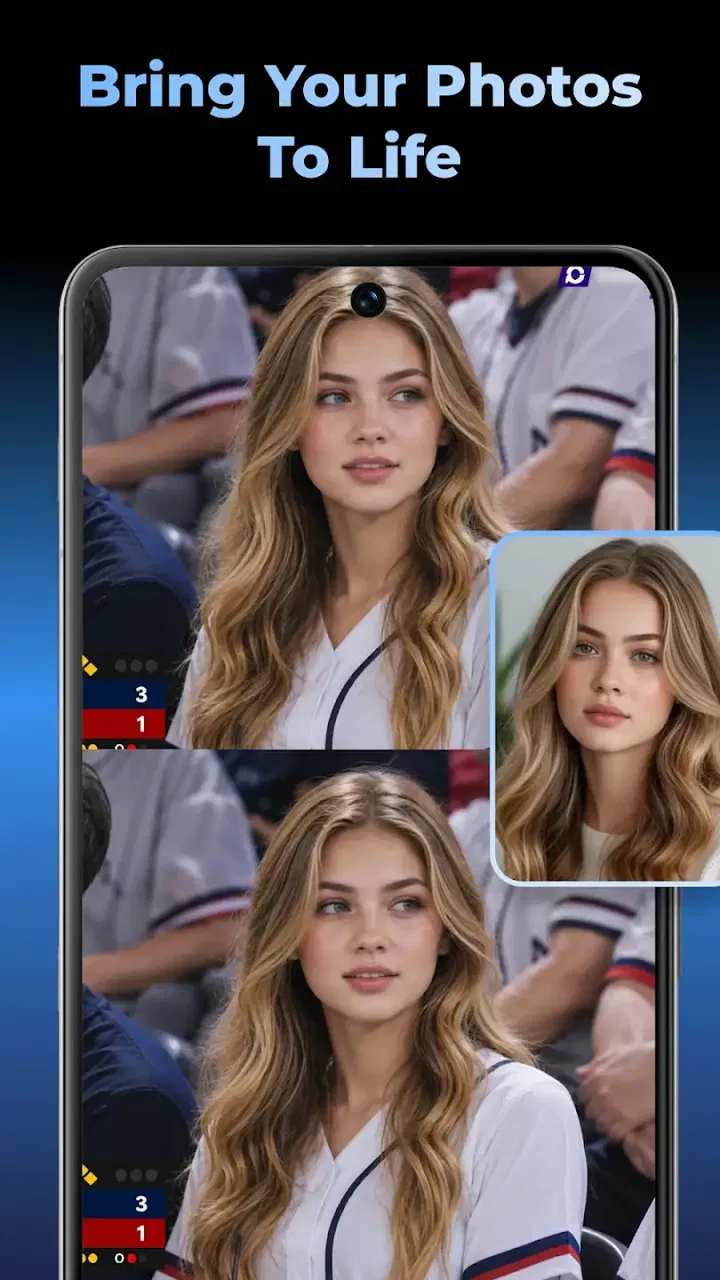
Glovy - AI Photo Generator
- 3.2
- Rating
- 100.00K
- Installs
- Free
- Price

 Analysis by App-foxy
I approached Glovy as a practical creative tool rather than a novelty filter. It sits in the Art & Design category and focuses on AI-assisted changes to portraits, especially hair color and hairstyles, while also offering photo generation and video-making tools. That combination makes it interesting for quick visual experiments, but it also means the quality of the result depends heavily on the starting image and on how clearly you define what you want.
My first impression is that Glovy is best understood as a try-before-you-change app. It can help you picture a different hair color, explore a new look for a profile image, or turn a simple idea into a shareable visual. I would not treat it as a replacement for a professional photo editor, a salon consultation, or a full video-production suite. Its appeal is speed and experimentation, not detailed manual control.
The app is free to install, with optional in-app purchases ranging from $12.99 to $159.99 per item. That makes it easy to test without paying at the door, but I would still pay attention to what is included before committing to a purchase. Glovy is aimed at Everyone, and its current version is 1.4.0, requiring Android 8.0 or later. It was released on March 18, 2026, and has already passed 100K installs, so it is not an obscure experiment with no user base at all.
You May Also Like

 Blood Strike: 2.5 Anniversary
Blood Strike’s Loadouts Turn Every Drop Into a Tactical Gamble
A close look at Blood Strike’s custom loadouts: how fast access to signature weapons reshapes its battle royale rhythm, rewards preparation, and narrows the gap between fights.

 Pandora - Music & Podcasts
Pandora’s Music Is Easy to Start, but Harder to Recover
Pandora’s strength is its low-effort path from a seed to a station. Its weak spot is how much confidence it asks you to place in connection, setup, and quiet recovery.

 8 Ball Pool
 Is Built on Rivalries, Rematches, and Routine
A close look at the rivalries, rematches, shared routines, and unanswered safety questions that turn a quick pool match into a persistent mobile community.

 Samsung Music
’s Quiet Strength Is Playing What You Already Own
Its reach comes less from spectacle than from dependable access to a personal library. That simplicity is both the app’s strongest retention engine and its ceiling.

 AccuWeather: Weather Radar
AccuWeather Review: A Quick, Clear Forecast for Everyday Decisions
For everyday plans, the best forecast is the one you can understand quickly. AccuWeather makes rain timing, radar, and local conditions easy to act on, with a few trade-offs.

 Hill Climb Racing
Why Hill Climb Racing Still Turns Crashes Into One More Run
A tiny car, a bumpy hill and one more upgrade: Hill Climb Racing keeps resurfacing because its simple chaos makes every near-miss feel personal.
More From Our News Desk



Where the experience usually gets stuck
The most common difficulty with an AI image app is not necessarily a broken button. It is the gap between what a user imagines and what the image model can interpret. A front-facing portrait with good lighting gives Glovy a much clearer starting point than a group photo, a dark selfie, or a picture where hair blends into the background.
That matters particularly for hair changes. If the original hair is partly covered by a hat, cropped by the frame, or hidden behind another person, the app has less visual information to work with. The result may still look entertaining, but it may not be a reliable preview of a real haircut or color. I found it more useful to judge the overall direction of an idea than to expect an exact salon-style simulation.
Another point of friction is choosing the right task. A user who wants a simple color experiment may be disappointed if they begin with a broader generation workflow. Conversely, someone expecting a complete transformation from a single tap may find that the result needs several attempts. I recommend starting with one clear goal: change the color, test a hairstyle, create a new image, or make a short visual sequence. Mixing all of those aims immediately makes it harder to understand whether the result is good.
The app’s average rating is 3.2 from around 500 ratings, which suggests a mixed experience rather than universal satisfaction. I read that as a reason to keep expectations realistic. AI results can be appealing one time and awkward the next, especially when the source photo is not suitable. The relatively small number of written reviews compared with the wider install figure also means I would rely more on my own short test than on assuming the app will behave identically for everyone.
Choose the source image before judging the AI
A practical workflow begins in the phone gallery, before opening the editor. I would select a single-person portrait with the face visible, hair separated from the background, and enough space around the head for a hairstyle change. A neutral expression is not essential, but a clear face usually gives the system less to guess.
For color testing, natural or evenly distributed light is especially helpful. Strong colored lighting can make the original hair tone difficult to interpret, while heavy shadows can make the edges look uneven after processing. This is one of the less obvious trade-offs: a dramatic source photo may look more attractive as a photograph, but a plain, well-lit image is often more useful for evaluating a proposed change.
I also avoid judging a result from a tiny thumbnail. Fine details around the hairline can look acceptable at a glance and less convincing when enlarged. Before saving or sharing, inspect the forehead, ears, shoulders, and any loose strands. Those areas reveal whether the transformation follows the person naturally or has spilled into the background.
Setup checks that prevent unnecessary frustration
Glovy supports devices running Android 8.0 or newer, so the first check is simple: confirm that the phone meets that requirement and has enough free space for creating and saving images or videos. I would not begin a creative session with almost no storage available. Even when the app itself opens normally, a nearly full device can make saving or exporting unreliable.
A stable internet connection is also a sensible part of the setup for an AI-based workflow. I would use a dependable Wi-Fi connection when generating larger results or working with video, particularly if a mobile signal is inconsistent. If a request appears to stall, I would first check whether other apps can load normally before repeatedly pressing the generate control.
The safest first session is a small one. Open the app, select one uncomplicated portrait, try one transformation, and check whether the result can be viewed and saved. This gives you a useful baseline. If that basic path works, you can move on to more ambitious images. If it fails, you have fewer possible causes to investigate.
I would also check the app’s available storage and photo access when prompted, using only the access needed for the task. If an image picker shows no suitable pictures, the problem may be the selected folder or the phone’s media access settings rather than Glovy’s image tools. Choosing a different image from the standard gallery is a quick way to separate an import issue from a generation issue.
Because the app is free to install but includes paid items, I would explore the free path before buying anything. The important question is not simply whether the app opens, but whether the particular workflow you care about produces a result you would actually use. A purchase makes more sense after you have tested the source-photo quality, the style you want, and the saving process.
Use a controlled test instead of several random attempts
One of my strongest recommendations is to keep the first test consistent. Use the same portrait while trying a few different hair directions, rather than changing the person, lighting, pose, and style at the same time. That makes it easier to see whether a disappointing result comes from the chosen look or from the source image.
This approach is also useful when comparing colors. A very light or highly saturated shade may produce a less natural result than a moderate change because the system has to reinterpret more of the original image. If you are deciding whether to change your real hair, use Glovy to compare a small range of believable options first. The app is more valuable as a decision aid when you treat it as a visual conversation starter, not a guarantee.
For profile photos, I would keep the original image untouched and save transformed versions separately. This simple habit prevents an experimental result from replacing the photo you actually need. It also lets you compare the edited version with the source later, when the initial excitement has faded.
Recovering a workflow when a result fails
When generation does not look right, I would not immediately assume the feature is unusable. First, return to the source image and crop it more deliberately. Remove distracting people, busy backgrounds, and unnecessary empty space. A closer portrait gives the hair and face more importance, which can help the transformation stay focused.
Next, try a different original photo rather than requesting the same change repeatedly on a weak one. If the hair is hidden or the face is angled sharply, repeated attempts may only produce different versions of the same underlying problem. A second, clearer portrait is often a better recovery step than pressing the button again.
If the app appears frozen, I would use a calm sequence: wait briefly, check the connection, close and reopen the app, and retry with a smaller or simpler project. I would avoid creating multiple duplicate requests while the first one may still be processing. That can make it harder to tell which result belongs to which attempt and may waste any limited generation opportunity associated with the workflow.
For a video-making attempt, begin with a single image and a straightforward concept. A moving result can expose flaws that are easy to miss in a still image, such as hair edges shifting oddly or facial details changing between moments. If the still version is not convincing, I would not expect the video version to fix it. Build from the strongest image you have already tested.
Saving early is another practical safeguard. Once you receive a result worth keeping, save it before experimenting further. I would not assume that every generated variation will remain easy to find after leaving the screen or starting another task. Keeping a small folder of successful versions also makes it easier to compare options without recreating them.
Know the difference between an artistic result and a useful preview
Glovy can be fun when the goal is an imaginative picture. In that situation, small imperfections may even add to the appeal. But the standard is different when you are trying to decide on a real haircut or hair color. Look for consistency at the roots, around the ears, and along the neck. If those areas are distorted, use the image for inspiration only.
This distinction is one of the app’s most important trade-offs. A traditional editor gives you more direct control over selection, masking, opacity, and color adjustment. Glovy gives you a faster route to a complete visual concept, but it may make creative decisions on your behalf. I prefer Glovy for exploring possibilities and a manual editor for correcting details or preparing a final image.
The same applies to social content. A quick generated portrait may be enough for a casual post or private mood board. For a professional profile, a portfolio, or an image where identity accuracy matters, I would compare the output carefully with the original. Speed is helpful, but a polished result still needs human checking.
When the app is not the cause
Sometimes the apparent problem is the phone, the image, or the expectation rather than the application. A low-quality original cannot provide detail that was never captured. A compressed screenshot may lose hair texture before Glovy even sees it. A portrait taken in a dark room may force the system to invent boundaries, and no setting can fully restore information missing from the source.
Device conditions can matter too. If the phone is very busy, has little free storage, or is switching between weak connections, an AI generation job may feel less dependable. I would close unrelated apps, connect to a stable network, and retry with a fresh image before concluding that the feature is broken.
It is also worth checking whether the problem is limited to one task. If hair-color experiments work but a video request does not, that points toward the particular workflow, the source material, or the heavier processing involved rather than a complete app failure. Testing one simple image is a useful diagnostic because it gives you a known reference point.
Users should also remember that an AI preview is not a professional promise. Hair behaves differently in real life depending on texture, length, lighting, and styling. A generated image can help you explain an idea to a stylist, but I would still ask for professional advice before making a major change. That is not a weakness unique to Glovy; it is a limitation of using a single image to predict a physical result.
Who will get the most from Glovy
I think Glovy suits people who enjoy quick visual experimentation and do not want to learn complex editing controls. It is a good fit for someone choosing between several hair-color ideas, preparing a playful profile image, building a mood board, or testing a concept before spending time on a more serious edit.
It can also help when you need a rough visual quickly. For example, imagine deciding on a look before a weekend event. You could use a clear portrait, test a few directions, save the most convincing version, and show it to a stylist or friend. The useful part is not that the image predicts the final result perfectly; it gives everyone a shared visual reference instead of relying on descriptions such as “warmer brown” or “shorter around the sides.”
I would be more cautious if you need pixel-level accuracy, repeatable professional output, detailed retouching, or a complete timeline editor. In those cases, a conventional photo editor or dedicated video app is likely the better choice. People who dislike AI-generated variations or want to control every selection manually may also find Glovy too unpredictable.
The age rating of Everyone makes the app broadly approachable, but that does not remove the need for sensible judgment when sharing portraits. I would review every generated image before posting it, especially when it changes a person’s appearance noticeably. A result that feels amusing privately may not represent the person accurately in a public setting.
My practical verdict after testing the idea behind it
Glovy is an accessible way to explore appearance changes without committing to them immediately. Its strongest quality is the short path from an ordinary portrait to a visual possibility. The hair-color and hairstyle focus gives it a clear purpose, while the photo-generation and video-making options make it more flexible than a single-purpose color filter.
Its limitations are equally clear. Results depend on the source image, AI interpretation can vary, and the app does not replace the precision of a manual editor. The mixed 3.2 average rating is consistent with that kind of experience: some users will enjoy the speed, while others may expect more control or more dependable realism. I would treat the free installation as an invitation to test, not as evidence that every feature will suit every project.
My recommended routine is simple: start with a clean portrait, test one goal, use a stable connection, save successful results separately, and inspect the hairline and background before trusting the image. If a result fails, change the source photo before repeating the same request. Those steps make the app easier to evaluate and reduce the chance of blaming the wrong part of the workflow.
My bottom line: Glovy is worth trying if you want fast, low-commitment experiments with hair and portrait ideas. I would recommend it to curious users who value convenience and can accept occasional imperfections. I would skip it as a primary tool for professional editing, exact appearance planning, or serious video production, where manual control and consistency matter more than instant experimentation.
Developed by NXL AI Solutions, the app has enough scope to be useful beyond a single novelty session, but its value depends on using it with the right expectations. For me, it works best as a visual sketchbook: quick, convenient, and occasionally surprising, with the final judgment still belonging to the person holding the phone.
FAQs for Glovy - AI Photo Generator
01What is Glovy - AI Photo Generator?
Glovy - AI Photo Generator is an innovative app that uses artificial intelligence to transform your photos into stunning, artistic creations. By applying advanced filters and effects, Glovy offers a new way to enhance and personalize your images, making it ideal for both casual users and photography enthusiasts.
02How does Glovy enhance photos using AI?
Glovy utilizes cutting-edge AI algorithms to analyze and enhance images. It applies artistic styles, improves resolution, and adds creative effects automatically. Users can choose from a variety of filters to transform ordinary photos into visually striking art pieces, all while preserving the original image quality.
03Is Glovy - AI Photo Generator free to use?
Glovy offers a free version with basic features, allowing users to experience its capabilities without any cost. However, for advanced features and additional filters, a premium version is available through in-app purchases, offering more creative options and customization tools.
04What platforms is Glovy available on?
Glovy - AI Photo Generator is available for both Android and iOS devices. It can be downloaded from the Google Play Store and the Apple App Store, ensuring compatibility with a wide range of smartphones and tablets. Regular updates keep the app optimized and feature-rich.
05Does Glovy require an internet connection to function?
While some features in Glovy can be used offline, the app performs optimally with an internet connection. This is especially true for downloading new filters and styles as well as accessing cloud-based AI processing for more complex image enhancements, ensuring the best possible results.
Pros
- Creates stunning AI-generated images
- User-friendly interface for easy navigation
- Offers a wide range of styles and filters
- Fast rendering times for quick results
- Regular updates with new features
Cons
- Requires internet connection for processing
- Limited free version features
- High-quality exports need subscription
- Occasional glitches in image generation
- No offline editing capability

Glovy - AI Photo Generator
Gallery